

See who changed before you open a chart.
Arc Watch, the portal for care teams, lists members with a flagged change first, then those on a quality hold, then the newest releases, so you start with the people who need a look.
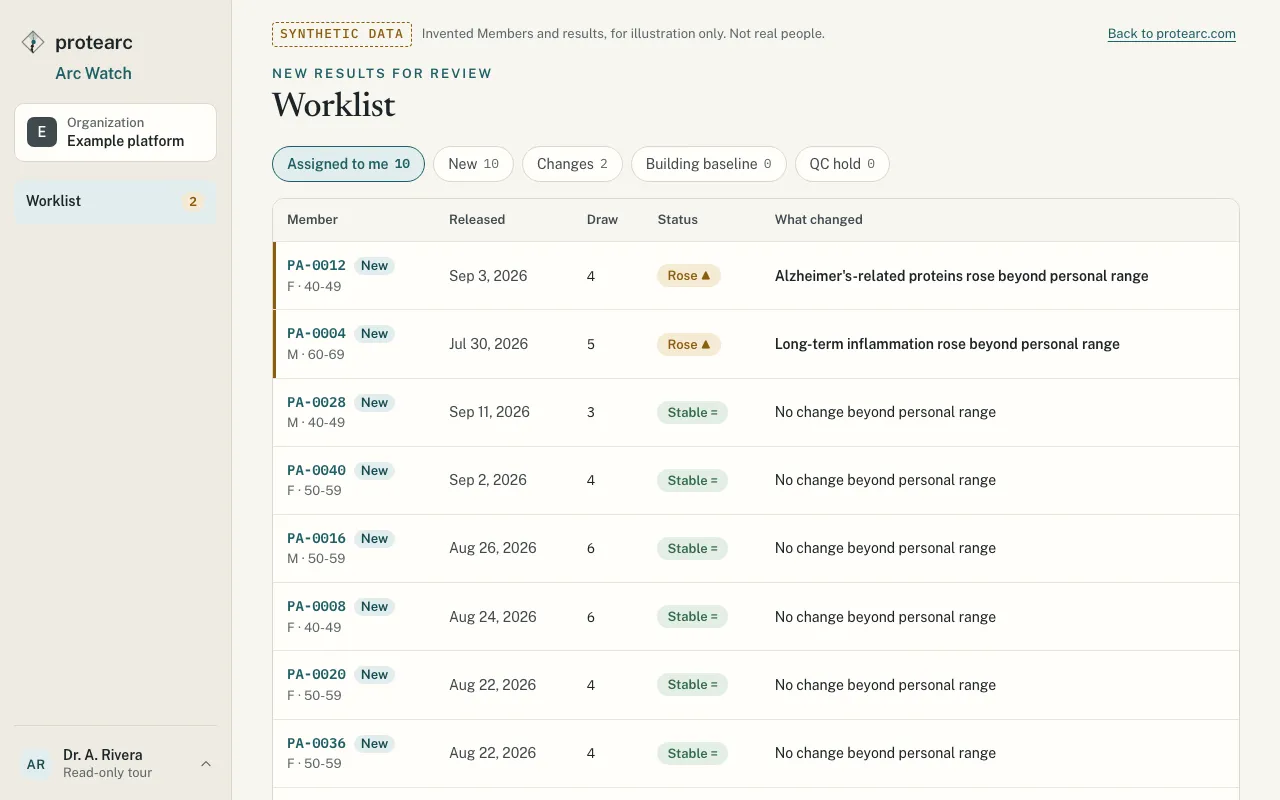
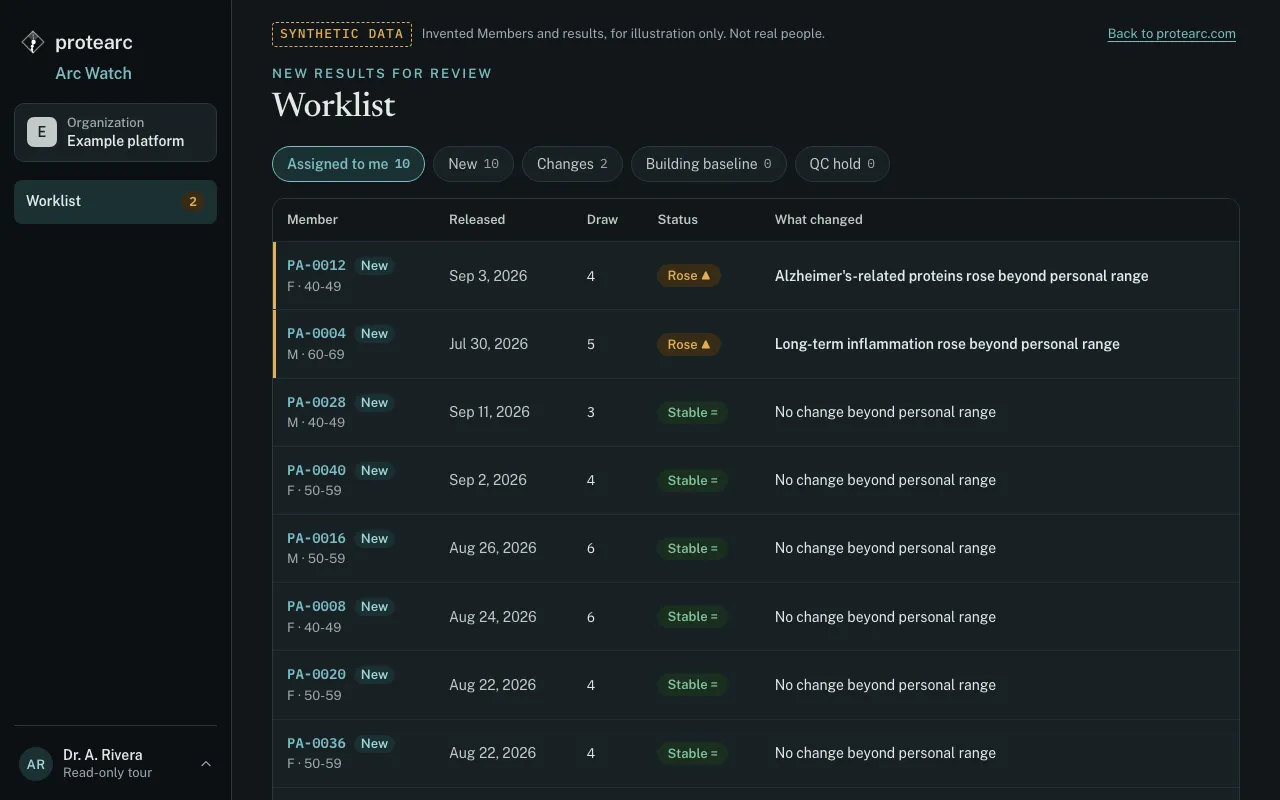
Worklist
Filter by assigned to me, changes, building baseline or quality hold. Each row says in words what changed.
Timeline
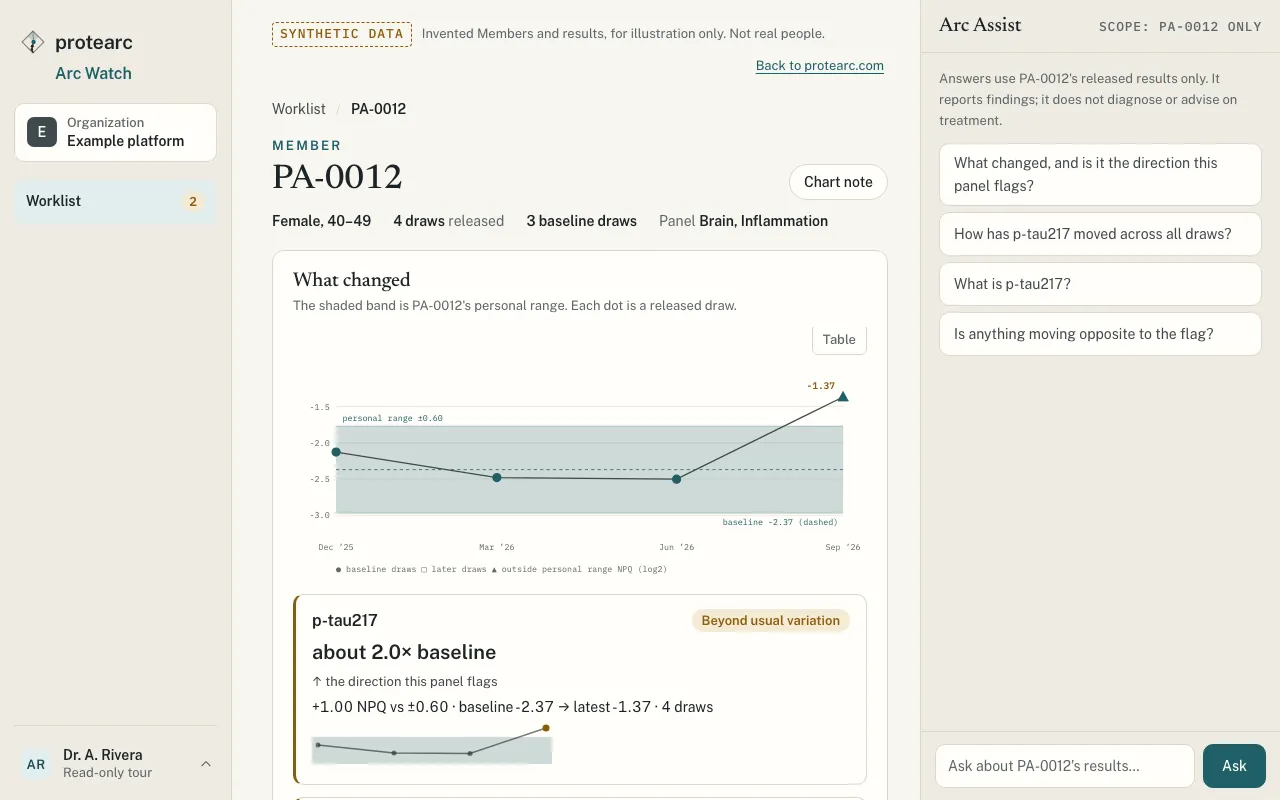
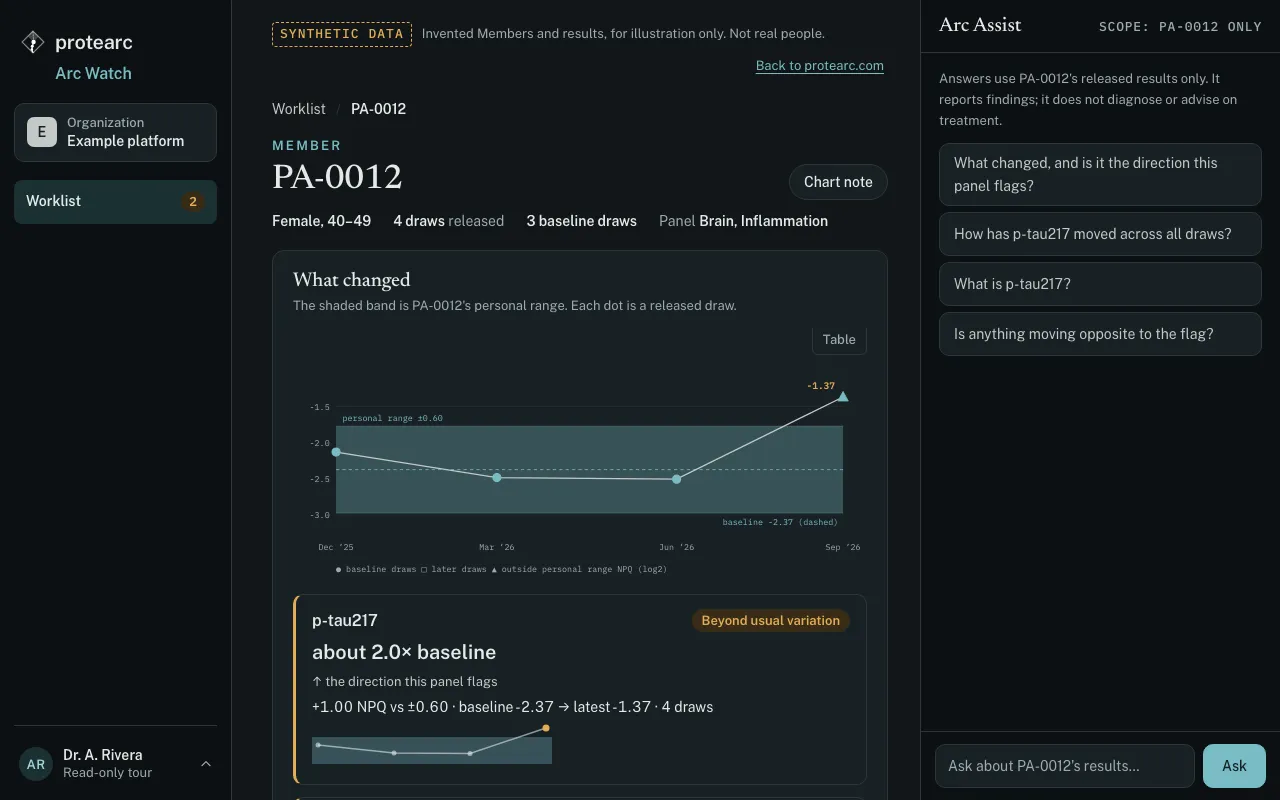
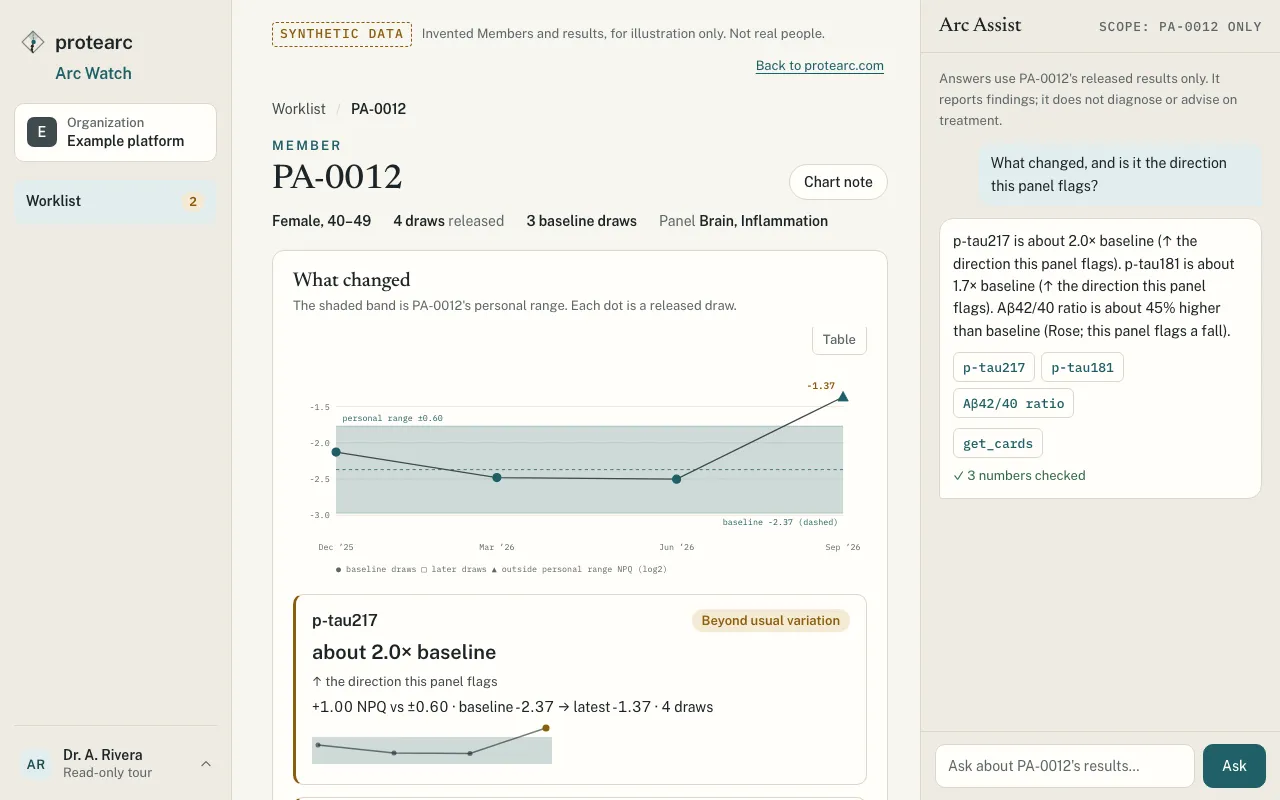
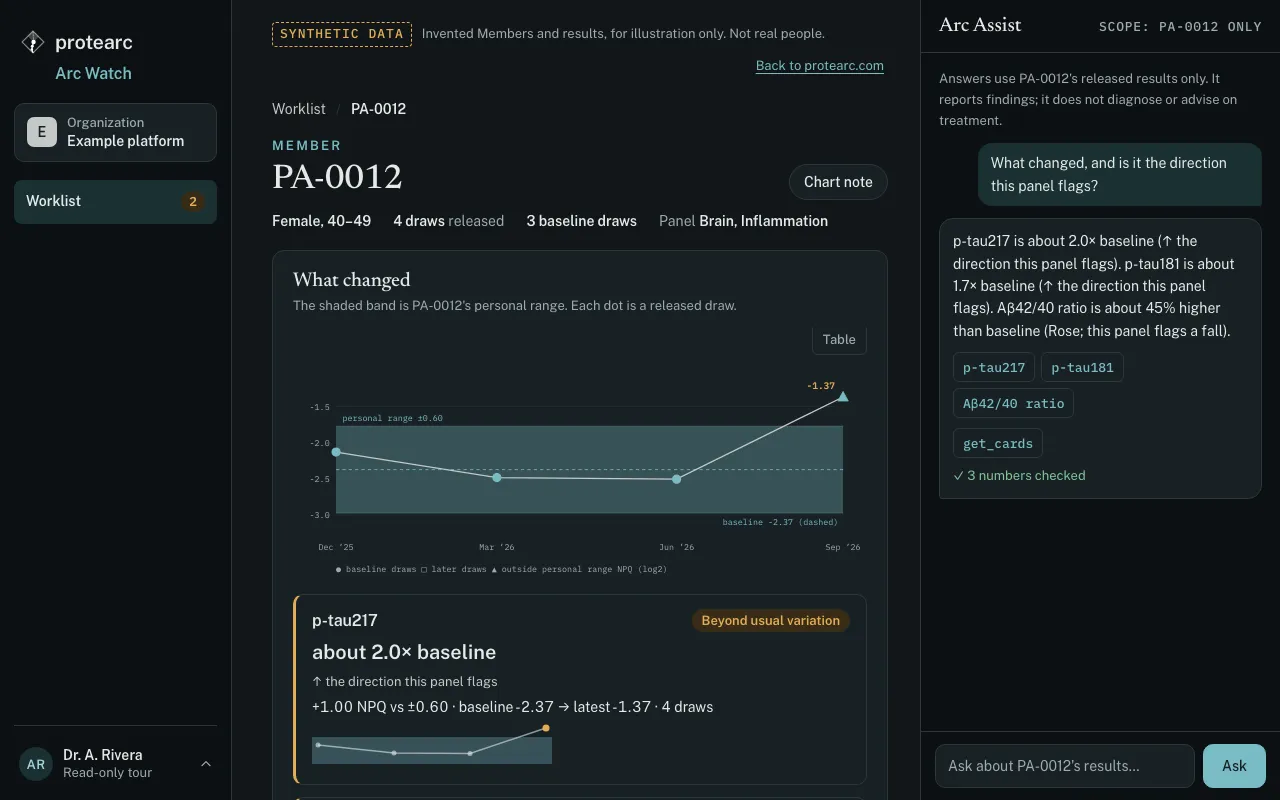
Each Protein Group is charted across draws against that member's own range, with a table view for exact values.
Arc Assist
Arc Assist, the assistant inside Arc Watch, answers questions about the open member. It quotes only numbers from the member's released results, each checked against them. It declines questions about diagnosis, treatment and other members.
Findings are for the clinician to interpret, not a diagnosis. A member whose sample is on quality hold shows no values until the laboratory releases the result.
The timeline and the assistant
How a clinic starts
- 1
Talk to us
Tell us what you run today and who on your team would use Arc Watch.
- 2
Agree the set-up
Panels, sample collection and shipping, and who on your team sees which members. Terms are set in a written agreement.
- 3
Review in Arc Watch
The laboratory director releases results, and your worklist updates with what changed for each member.
We do not pay referral fees, commissions or a share of revenue.
Talk to our team
Tell us what you run today and what you would like your care team to see. Example results on this site use synthetic data.